
Iframe 嵌入
Recommended For Multi-System Use
当你希望把预览器私有化部署出来,给多个系统统一复用时,iframe 是更稳的一条路。 业务系统负责鉴权和下载,预览器负责渲染,这种职责分离在真实项目里往往更容易维护。
适合哪些场景
- 多个系统共用同一套预览能力
- 不希望把文档解析依赖直接引入业务包
- 文件下载必须经过宿主系统鉴权
- 希望预览器单独部署、单独升级
当前支持的两种 iframe 使用方式
本文所有示例都假设你已经把 Vue3 基线 viewer 静态产物部署到了宿主站点:
txt
/file-viewer/index.html
/file-viewer/assets/*
React 和纯 JS 包会默认维护这套目录;其他系统也可以手动复制同一份静态产物。
1. URL 模式
如果文件本身就能被浏览器直接访问,可以直接把 url 作为查询参数挂到预览器页面上:
html
<iframe
  src="/file-viewer/index.html?url=%2Ffiles%2Fdemo.docx&options=%7B%22toolbar%22%3A%7B%22position%22%3A%22bottom-right%22%7D%2C%22theme%22%3A%22light%22%7D"
  style="width: 100%; height: 100%; border: 0"
></iframe>
这条路线最简单,但它依赖目标文件地址本身可访问,并且跨域配置正确。
2. 二进制推送模式
如果文件需要鉴权,或者你不希望把真实文件地址暴露给预览器,请让宿主系统先下载成 Blob,再通过 postMessage 推送给 iframe。
第一步: 构造 iframe 地址
ts
const viewerUrl = '/file-viewer/index.html'
const viewerOrigin = location.origin
const filename = 'demo.doc'
const options = {
  theme: 'light',
  toolbar: { position: 'bottom-right' },
  watermark: { text: '内部预览', opacity: 0.14 },
  archive: { workerUrl: '/vendor/libarchive/worker-bundle.js', cache: true }
}
const src =
  `${viewerUrl}?name=${encodeURIComponent(filename)}` +
  `&from=${encodeURIComponent(location.origin)}` +
  `&options=${encodeURIComponent(JSON.stringify(options))}`
其中:
name: 文件名,用于推断扩展名from: 允许发送消息的宿主页面 origin,预览器会据此做严格校验options: 可选运行配置,支持theme、水印、操作栏和压缩包缓存/体积限制。theme可传light、dark、system,默认system跟随浏览器;浅色业务系统建议显式传light。toolbar.position可传auto、top、bottom-right,PDF 默认会悬浮到右下角以避开自身导航栏
第二步: 在 iframe 加载完成后推送 Blob
ts
const frame = document.getElementById('viewer') as HTMLIFrameElement

frame.onload = async () => {
  const response = await fetch('/api/files/demo', {
    credentials: 'include'
  })
  const blob = await response.blob()
  frame.contentWindow?.postMessage(blob, viewerOrigin)
}
预览器会在收到消息后校验:
event.origin === fromdata instanceof Blob
只有校验通过才会渲染文件。
本仓库提供的示例
示例页面位于 public/example/embedded.html,它演示了宿主页面如何:
- 构造 iframe URL
- 根据文件名传递
name - 通过
from约束消息来源 - 把下载到的文件二进制发送给预览器
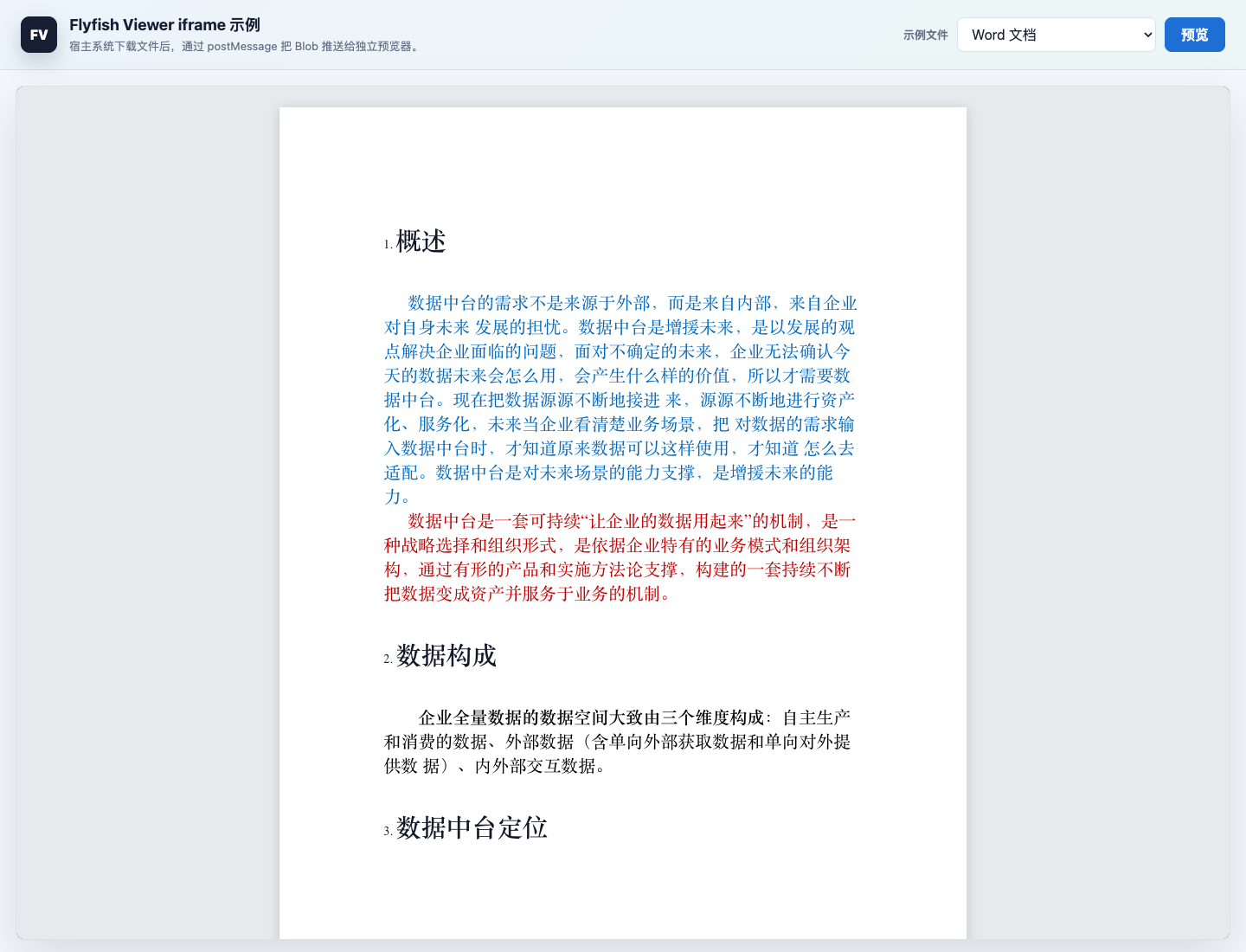
示例页展示了独立部署的预览器如何被宿主系统嵌入,并通过消息机制接收文件内容。
安全与联调建议
from不要写*,尽量传入明确的宿主站点 originpostMessage的第二个参数也要使用精确的预览器 origin- 宿主系统下载文件时,可以携带 cookie、token 或任何内部鉴权信息
- 联调阶段先用仓库中的
public/example示例文件跑通,再接入真实接口 - React / 纯 JS 包默认使用
/file-viewer/index.html;如果静态目录不同,请显式传入viewerUrl - 如果需要预览压缩包,请同时发布
vendor/libarchive/worker-bundle.js与同目录的libarchive.wasm,或通过options.archive.workerUrl指向你的私有静态路径
什么时候该优先选 iframe
如果你已经想到下面任意一点,通常就可以直接选 iframe:
- “这个能力后面还会接到别的系统里”
- “我不想把这些解析依赖装进业务工程”
- “文件下载必须先过我的接口和权限体系”
- “我希望预览器能独立部署,方便统一升级”